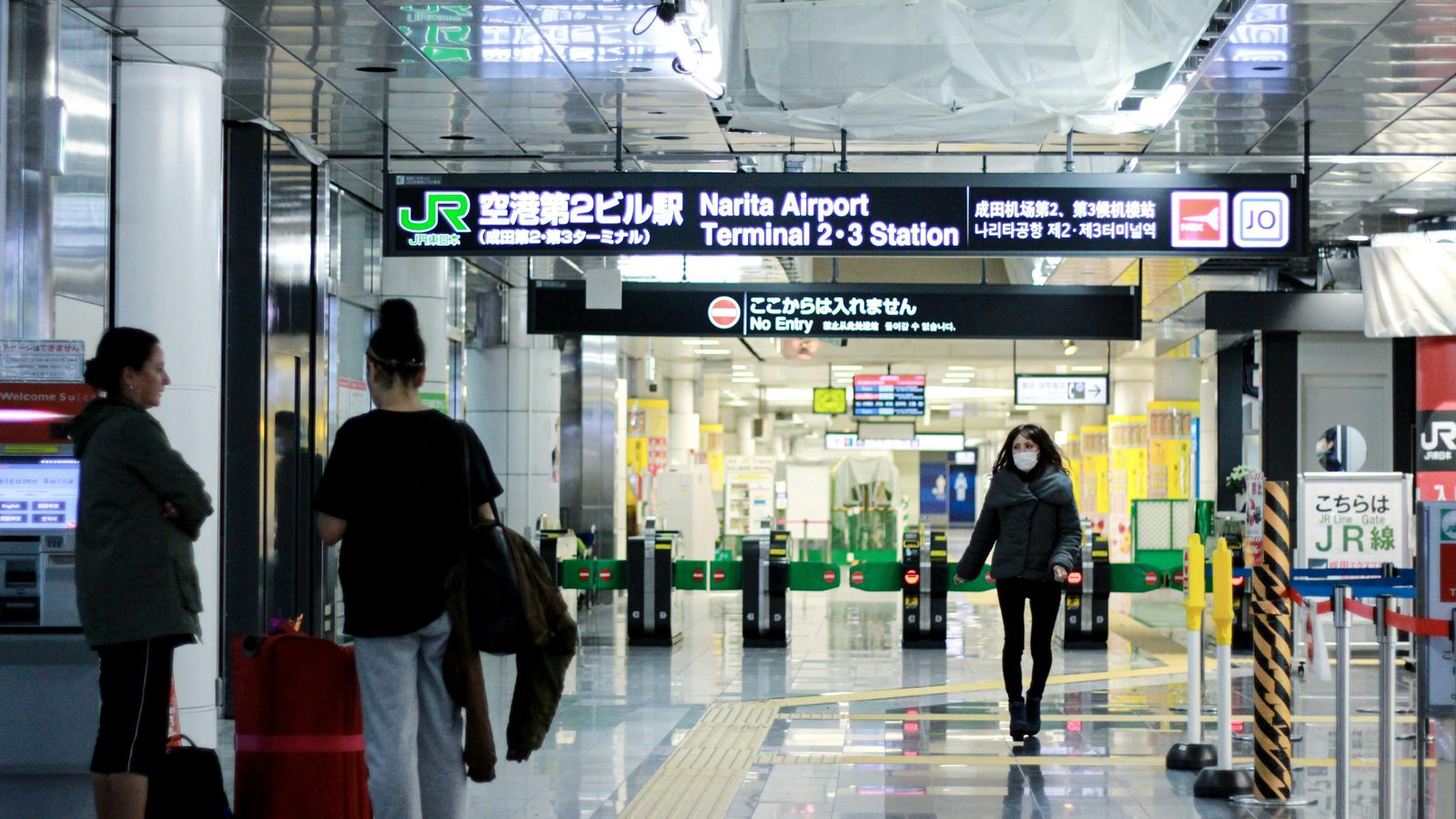

What Visit Japan Web saves you is the 20–40 minutes spent writing two paper forms and queueing to hand them over — an hour or more during peak slots (typhoon season, Golden Week, simultaneous landings). What it does not save you is the inspection itself: every foreign arrival still walks up to an immigration counter, shows the code to an officer, and gives fingerprints and a face photo. A 10-minute form at your kitchen table buys you the first part.
On 25 January 2024 the Japanese government merged the immigration and customs QR codes into one — the codes issued before that date stopped working the same day. You submit one online form, you get one code, and you show it twice: once at immigration, once at customs. At a growing list of terminals a combined kiosk now does both in a single stop, and Narita Terminals 1 and 2 joined that list on 24 September 2026.
This guide does three things. First, it walks you through the Visit Japan Web process step-by-step so there's no confusion or half-finished submissions. Second, it clears up what the VJW tax-free QR actually does under the system that starts on 1 November 2026 — it is a shop-counter convenience, not the thing the airport reads. Third, it covers the family registration feature, since most travelers arrive with at least one other person and splitting the registration across multiple accounts is unnecessary.
- When to do it: 2–7 days before your flight. Not mandatory, but saves 20–40 minutes at immigration.
- What you need: Passport, flight number, hotel address in Japan, 10 minutes of time.
- Password rules: At least 10 characters, with uppercase + lowercase + digits + one symbol (e.g., Visit@Japan2)
- Family registration: One person creates the account, adds up to 9 others, everyone gets their own QR code.
- Tax-free QR: Separate from the immigration QR, and it is used at the shop till, in place of handing over your passport. It is optional — your physical passport always works.
- From 1 November 2026: tax-free switches from a checkout discount to pay-tax-now, refund-later. At departure a self-service kiosk reads your passport — not a store QR code — before security and before you check your bags, and the airport does not hand you money: the shop refunds you afterwards.
- At the airport: Show the code on your own phone or tablet — the Digital Agency requires that, so a printout is not a backup. Once at the immigration counter, once at customs; one stop only where a combined kiosk is running. Fallback is the paper form line.
Table of Contents (click to expand)
- What is Visit Japan Web, and why does it matter?
- Mandatory or optional? What you actually gain
- What you need before you register
- Step-by-step registration walkthrough
- Registering family members on one account
- The tax-free QR: what it does, and what it doesn't
- At the airport: using your QR code
- Common mistakes that delay immigration
- Troubleshooting: password resets and locked accounts
- Frequently asked questions
What is Visit Japan Web, and why does it matter?
Visit Japan Web is an online platform run by Japan's Digital Agency that lets you pre-fill your immigration and customs declaration before you arrive. Once submitted, you receive a QR code that stands in for both completed forms. At the airport you show it instead of handing over paper — but you still meet an immigration officer, and you still give fingerprints and a face photo. There is no automated gate that lets a foreign visitor skip that. Note also that despite the name, the Digital Agency has stated it publishes no app: VJW is a website your browser can cache for offline use.
The time saving is real. At Haneda during peak hours the VJW queue for international arrivals is typically 5–15 minutes. The manual form line averages 25–40 minutes, sometimes longer during typhoon season, Golden Week, or when a large group flight lands simultaneously. If you're arriving alone at an off-peak time (early morning, late evening), the advantage shrinks to maybe 5–10 minutes. But if your flight lands at 11 a.m. or 6 p.m., it becomes genuinely valuable.
The second reason VJW comes up in 2026 is tax-free shopping — though not for the reason you might expect. Japan's tax-free system has historically given you an on-the-spot discount at the register: show your passport, the store deducts the tax, you walk out paying less. On 1 November 2026 that ends for every tax-free shop at once, with no transition period: you pay the tax-inclusive price and get the money back after customs confirms, at departure, that the goods left Japan. VJW's role in that is narrow and worth stating plainly — the tax-free QR replaces your passport at the till. The airport kiosk reads your passport itself.
Mandatory or optional? What you actually gain
Visit Japan Web is not legally mandatory. You can arrive at the airport, fill out the paper immigration and customs forms by hand, and clear customs through the regular line exactly as generations of tourists have done. The system is still fully supported and staffed. You won't be turned away or penalized for not using VJW.
However, using it is strongly recommended because:
- No writing on the plane. The traditional route is two handwritten forms, one for immigration and one for customs. VJW replaces both with one code — you still present it at both stops, but you present a screen instead of paper.
- Customs electronic declaration gates. Seven airports run them: New Chitose, Narita, Haneda, Chubu, Kansai, Fukuoka and Naha. You feed your code and your IC passport into the customs terminal, it photographs your face and matches it against the passport chip, and then you walk through the gate without stopping at an inspection desk.
- Accuracy. The customs terminal reads both your IC passport and your QR code, so a mismatched name, an expired passport or a typo surfaces on the spot rather than after you have queued. Handwritten forms with errors get handed back by the officer, and you start again.
The tradeoff: if your passport has issues (expiry within 6 months, an unusual visa stamp), you may be sent to a secondary interview anyway. The goal is to skip the form-writing step, not the check itself. Either way you save the 25-minute writing-and-hand-off phase.
What you need before you register
Gather these details before opening the Visit Japan Web site. The registration will be fastest if you have them in front of you:
- Your passport number, issue date, and expiry date. The machines at the airport read your passport itself, so what you type has to match the booklet exactly. If your passport shows "1 JAN 2020" but you type "01 JAN 2020," the discrepancy might flag you for a secondary check.
- Your flight details: Airline name, flight number, departure city. Example: "JAL 001 from LAX" or "ANA 286 from San Francisco." The system uses this to time your arrival declaration.
- Your first Japan address: This can be a hotel, AirBnB, a friend's apartment, or even a hostel. The immigration officer wants to know where you'll be sleeping the first night. If you don't have a confirmed booking yet, you can use a major hotel name (e.g., "Shinjuku New Hotel, 3-1 Kasuga, Shinjuku, Tokyo") — the system doesn't validate it, just records it.
- Re-entry permit status (if applicable): If you've been to Japan before on a work visa or long-term stay, you may have applied for a "re-entry permit," which allows you to keep your visa status if you leave and come back. If you have one and plan to use it, select "yes." If you're unsure, select "no" — you can always update it before landing.
That's it. You don't need credit card information, travel insurance details, hotel confirmation number, or anything else. VJW is just the immigration and customs form in digital format.
Step-by-step registration walkthrough
Step 1: Create an account. Go to visit-japan-web.digital.go.jp and select your language (English is available). Click "Register" and create an account with an email and password. The password must be at least 10 characters and include uppercase letters, lowercase letters, digits, and at least one symbol ( ! @ # $ % ^ & * ). Example: Visit@Japan2026. Save this password somewhere because you'll need it to retrieve your QR codes later.
Step 2: Select your trip purpose. The system asks, "What is the purpose of your visit?" Select "Tourism" (unless you're coming for work or study, which requires a separate visa anyway). This routes you to the tourist form, not the longer work/residency form.
Step 3: Fill in your personal information. Name, date of birth, nationality, passport number, issue date, expiry date. The system auto-formats the dates once you type them. Pay attention to hyphens and separators — some systems are picky about date format. Also, confirm your full name matches your passport exactly. "Michael James Smith" in your passport but "Mike J. Smith" in the form will cause a gate rejection.
Step 4: Answer the passport history question. "Have you ever held a Japanese passport?" This is a yes/no question tracking citizenship history. Most tourists answer "no." If yes, the system asks when and why you no longer hold it (you renounced it, it expired, you took another nationality, etc.). Be truthful — the immigration officer can see your passport history in their system.
Step 5: Add your flight details. Airline (e.g., JAL, ANA, United, Cathay Pacific), flight number, departure airport, and estimated arrival time and date. You can usually find this on your confirmation email or airline website. The arrival date/time doesn't have to be exact — if your flight is delayed, you can update it later.
Step 6: Enter your Japan address. This is where you'll spend your first night. If you're staying at a hotel, enter the hotel name and address (you can copy-paste from their website). If you're on AirBnB, enter the full address and neighborhood. The system accepts addresses in English or Japanese characters (it auto-converts).
Step 7: Customs declaration. The system asks a series of yes/no questions: "Are you bringing in more than ¥1 million in cash?" (most people say no) "Are you bringing in animals, plants, or food items?" "Any firearms, drugs, or restricted items?" These are standard customs declarations. Answer honestly. You won't be searched just for saying "yes," but falsifying customs forms is a federal crime in Japan. One thing the VJW questions don't cover is medication: some common over-the-counter cold and allergy drugs contain ingredients that are restricted in Japan, and carrying more than the personal limit needs a separate Yakkan Shoumei import certificate — see our guide to bringing medication into Japan before you pack your meds.
Step 8: Re-entry permit status. "If you currently have a valid re-entry permit from a prior stay, do you intend to use it?" If you were in Japan on a visa before and have the paper re-entry permit with you now, and you want to keep that visa status, select "yes." If you're just a tourist or you don't have one, select "no."
Step 9: Confirm and submit. Review your information one more time. The system shows a summary. If anything is wrong, go back and fix it now. Once you click "submit," the form is locked and you cannot edit it from this account until you land.
After submission, the system generates your immigration QR code. Screenshot it, email it to yourself, or save it to your phone's offline storage — Japan's own app states that a screenshot of the QR code can be used. There is no published expiry on this code: it stays usable until you edit your registered information, and once you do, you have to generate a fresh QR code and replace your screenshot.
Registering family members on one account
Visit Japan Web is designed so that one adult can register up to 10 family members (including yourself) all traveling on the same flight and arriving at the same address. Each person gets their own QR code, but you all use the same account login.
How it works: You create one account. When you reach the "add travelers" step, you register yourself first, then click "add family member" and enter the names and passport details for your spouse, children, or travel companions (up to 9 additional people). All of you must be on the same flight and arriving at the same hotel or address.
Every traveller presents their own code, one at a time. Three people means three individual QR codes, and immigration, customs and the combined kiosks all handle them person by person — you queue as a group but you are processed singly. Each person needs a valid passport; the customs terminal compares your face against the passport chip and either clears you or sends you to an inspection desk.
Each traveller on the account has their own QR code — you switch between people with a dropdown on the QR display screen. Immigration and customs both require every person to complete their own formality, family members included, so you cannot hand your code to someone else and expect it to work for them. Before you land, make sure each traveller has their own code saved on their own phone.
What if someone in your group is on a different flight? They need their own account. VJW ties the QR code to a single flight, so passengers on different flights cannot share a submission.
The tax-free QR: what it does, and what it doesn't
Visit Japan Web includes a tax-free QR code generator that is separate from your immigration QR. It is genuinely useful and almost universally misdescribed online, so here is the boundary in one line.
How to generate it: after you submit your immigration form and receive your immigration QR, the system offers an option to generate a tax-free QR. You scan your passport's biographical information page with your phone camera, and the app reads the details and the photo off the page itself — you do not prepare a photo file. Give it good light, the booklet flat, all four edges inside the frame.
When to use it: at the register, in place of handing your passport across the counter. That is the whole function, and it stays the same before and after the November change. If a cashier asks for the physical passport instead, that is not a sign they are on an old system — passports remain valid at every till, and from 1 November no shop in Japan deducts the tax at the register anyway.
Is scanning your passport into the app a risk? You are handing bio-page data to a government platform, and if that bothers you, skip it — showing the physical passport works everywhere, always.
What actually happens at departure from 1 November 2026
Four things, in this order, and the order is the part people get wrong:
- At the shop you pay the tax-inclusive price, and the shop registers how it will pay you back — bank transfer, card, an app. Each shop decides its own method, so ask at the till.
- At the airport, before you check your bags. The formality happens landside, before the security checkpoint — the opposite side of the airport from where most travelers assume a tax desk lives. Japan's guidance is explicit that checked baggage cannot be pulled back once it is in the system, so bags go after the kiosk, not before.
- At the kiosk you scan your passport. Green means you are finished; red means carrying the goods to the customs inspection area. The read-to-result step takes seconds — the queue only exists behind a red light.
- The refund does not come from the airport. Once customs confirms, the shop (or a refund operator it hires) pays you. How many days that takes has no official figure. On fees the government has answered: who bears the refund handling fee is "not specifically prescribed" — travellers usually bear it in other countries, it notes — and the government itself charges nothing. The rate is up to the shop, so ask at the till.
Two VJW-specific footnotes. Seven airports — Narita, Haneda, Kansai, Chubu, Fukuoka, New Chitose and Naha — let you complete the formality online through Visit Japan Web instead of queueing at a kiosk, using a dedicated Wi-Fi zone in the international departures hall, again only as far as the security checkpoint. The full specification for that route has not been published yet, so re-check before you fly. And the physical location of the kiosks has not been announced by the authorities either — ignore any guide that tells you a terminal and a floor.
Everything else about the scheme — who qualifies, the spending threshold, what happens if you eat the snacks you bought — sits in our walkthrough of the pay-first, refund-later rules rather than here.
Japan travel essentials — eSIM, passes & airport transfers
Get your eSIM, JR Pass, and airport-to-city transfers sorted before you land. KKday lets you bundle pre-trip essentials with flexible cancellation — so you arrive ready to scan your VJW QR and go.
Browse Japan essentials →
At the airport: using your QR code
Two stops, one code — unless your terminal has a combined kiosk, in which case it is one stop. Take the normal route first:
- Immigration counter. Foreign arrivals are processed by an immigration officer; there is no gate you tap and walk through. Have your passport in one hand and the QR code open on your phone in the other. You also give fingerprints and a face photo here.
- Customs. Follow the signs for the electronic declaration terminals. Feed the terminal your IC passport and your QR code; it photographs your face and matches it against the chip. When it clears you, it points you at the electronic declaration gate, which you walk through without stopping. No IC chip in your passport, or a red result, and you go to a staffed inspection desk instead.
The shortcut is the combined kiosk (共同キオスク), a machine the immigration bureau and customs share. It takes your QR code and IC passport once and hands the passport data, face photo, fingerprints and declaration to both agencies at the same time. After it, foreign arrivals use a dedicated counter for kiosk users and finish immigration quickly, then clear customs by face recognition if nothing needs inspecting.
| Airport | Terminal | Live since | Hours |
|---|---|---|---|
| Narita | Terminals 1 & 2 | 24 Sep 2026 | 7:00–21:30 |
| Narita | Terminal 3 | 7 Apr 2025 | 7:00–21:30 |
| Haneda | Terminal 2 | 1 Apr 2025 | 4:30–23:30 |
| Haneda | Terminal 3 | 11 Apr 2025 | 24 hours |
| Kansai | Terminal 1 | 1 Apr 2025 | 8:00–22:00 |
| Kansai | Terminal 2 | 1 Apr 2025 | 9:00–21:00 |
| Fukuoka | International | 1 Dec 2025 | 7:00–21:00 |
Two limits worth knowing before you join that queue. Anyone under 135 cm cannot use the combined kiosk — a hardware constraint, so families with small children take the regular counters. And a non-IC passport can use the combined kiosk but cannot then use the customs electronic declaration gate. The kiosk is also not a family machine: everyone travelling with you needs their own QR code and goes through one at a time.
Common mistakes that delay immigration
A few error patterns surface repeatedly in airport-counter reports and traveler forums:
Spelling mismatches between passport and form. Your passport says "Müller" but you typed "Muller" in VJW. The reader scans your passport, sees the discrepancy, and rejects it. Fix: if your name has special characters (ö, ü, ñ, é, etc.), make sure you type them exactly as they appear in your passport. If your keyboard doesn't support these characters, use copy-paste from your passport image.
Outdated flight information. You booked your flight for June 10, then changed it to June 12. You submitted VJW with the June 10 date but your actual flight is June 12. The gate rejects it. Fix: update your VJW submission after you change your flight. You can edit it any time right up until you land.
Wrong Japan address format. Some travelers enter only "Tokyo, Japan." The system needs a specific address — a hotel name and street address, or a specific neighborhood. Enter too vague an address and the officer may ask for clarification at the counter. Fix: use the full hotel address with street number and ward, or the full AirBnB address including building and apartment number.
Passport expiry date typo. Your passport expires December 31, 2030, but you mistyped it as December 31, 2020. The reader flags it because the VJW data doesn't match the physical passport. Fix: re-check your passport expiry date letter-by-letter before submitting.
Submitting too early and the plan changes. You submit VJW 20 days before departure, then your flight gets cancelled and you rebook on a different airline two weeks later. Your VJW still has the old flight. Fix: resubmit with the new flight details any time before you land. The system allows resubmissions, and it then issues a new QR code.
Troubleshooting: password resets and locked accounts
I forgot my password. Go to the VJW login page and click "Forgot password?" Enter your email address. The system sends a reset link (check spam folder). Click the link, set a new password (remember: 10+ chars, uppercase, lowercase, digits, one symbol), and log back in to retrieve your QR codes.
My account is locked after multiple wrong password attempts. The system locks accounts temporarily after 5 failed login attempts for security. Wait 30 minutes, then try again. If you've lost the password entirely, use the "Forgot password?" option.
I submitted my VJW but I can't find the QR code. Log into your account on the VJW website. You should see your registered travellers listed, with the immigration QR code available for each name — a dropdown on the QR screen switches between people. The code stays in your account until you present it on arrival.
I changed my flight but I already submitted VJW. Do I need to make a new account? No. Log back into your existing account, find your submission, and there should be an "update" or "edit" option. Change the flight details and resubmit. You'll get a new QR code.
My QR code won't read at the airport. The terminal screens usually display a message if there's an issue. Common reasons: (1) you're scanning it upside down or too far from the camera, (2) your passport doesn't match the data in the system (name spelling, number mismatch), or (3) you edited your registration and never generated the replacement QR code. Ask the officer for help — they deal with this daily.
Frequently asked questions
- Q1:Can I use Visit Japan Web if I don't have a credit card?
- Yes. VJW is free and does not require a payment method at any point. No credit card needed.
- Q2:What if I'm traveling with a child who doesn't have their own passport yet?
- Children traveling on the parent's passport (some countries allow this) cannot be registered separately in VJW. Only one VJW submission is made for the parent. At the immigration counter, the officer handles the child on the parent's passport. If the child has their own passport, they need their own VJW account.
- Q3:Can I submit VJW from Japan after I land?
- The system is designed for pre-submission, but technically yes, you can access it from Japan using mobile data. However, it's intended for arrival day or a day or two before. You still need to show a QR code at immigration, so the practical window is during your flight or at the airport before you clear customs.
- Q4:If I have a layover in another country before Japan, do I include that in my VJW?
- No. VJW is for Japan entry only. If you're flying from New York to London to Tokyo, you enter London's customs form for your first stop, then submit VJW for your Tokyo arrival (using your Tokyo flight number and arrival time, not your New York departure time).
- Q5:Is my VJW submission visible to airlines?
- No. Visit Japan Web is run by Japan's immigration authority, not the airlines. Your airlines have no access to your declaration. They only care about your passport and visa status.
- Q6:Can I use Visit Japan Web if I'm a Japanese citizen?
- For immigration, no — VJW is for foreign visitors. (Tax-free is a separate question: a Japanese national who has lived abroad continuously for two years and is back in Japan for under six months is still eligible for tax-free shopping.) Japanese citizens returning to Japan use their national ID (Mynumber card) or Japanese passport, and they have separate immigration lines. If you hold Japanese citizenship and another passport, use your non-Japanese passport to register.
- Q7:Does the Visit Japan Web QR code expire?
- No. The immigration-and-customs QR code has no published expiry — the Digital Agency does not state any number of days anywhere. The one thing that invalidates it is editing your registered information: change anything and you have to generate the QR code again. You can register an arrival date as far ahead as 31 December of the following year, so there is no rush window to hit. The separate tax-free QR code does expire — see that section.
- Q8:I'm arriving late at night. Does anything change?
- Only the one-stop shortcut, not your QR code. The combined immigration-and-customs kiosks run to published hours — 7:00–21:30 at Narita, 7:00–21:00 at Fukuoka, 8:00–22:00 at Kansai Terminal 1 — and only Haneda Terminal 3 runs them around the clock. Land outside those windows and you do the two stops separately instead: show the code to the immigration officer, then show it again at customs. The code itself has no time restriction.

The bottom line: 10 minutes now saves 20–40 minutes at the airport
Visit Japan Web is not mandatory, but it is a time-saving service backed by the Japanese government and available free to all visitors. The 8–12 minute submission before your flight saves 20–40 minutes in the immigration queue. The tax-free QR is a smaller, separate convenience: it saves you handing your passport across a shop counter, and nothing more.
Filling it out is straightforward once you have your passport, flight number, and hotel address. Family members can register on a single account. Mistakes are usually correctable up until you land. And the worst-case scenario — if something goes wrong with your QR code — you still have the traditional paper form line, so you won't be stuck.
Our recommendation: fill out VJW 2–3 days before your flight when you have time to double-check details. Screenshot your QR code to your phone and email it to yourself as a backup. At the airport, show it to the immigration officer and again at customs — or once at a combined kiosk if your terminal has one. You'll be through in a fraction of the time your fellow tourists standing in the paper form line will take.
Keep reading
Once you've handled immigration and customs, the other pre-trip decisions that save you stress are which eSIM to buy for connectivity and the complete Japan travel essentials checklist — insurance, cash ratio, luggage specs, and the ten apps that actually matter once you land.